
Permit to Work System: A Practical Guide for Safer Worksites
A Practical Approach to Authorising High-Risk Construction Activities
Plan, Approve and Monitor High-Risk Work with Clear Safety Controls
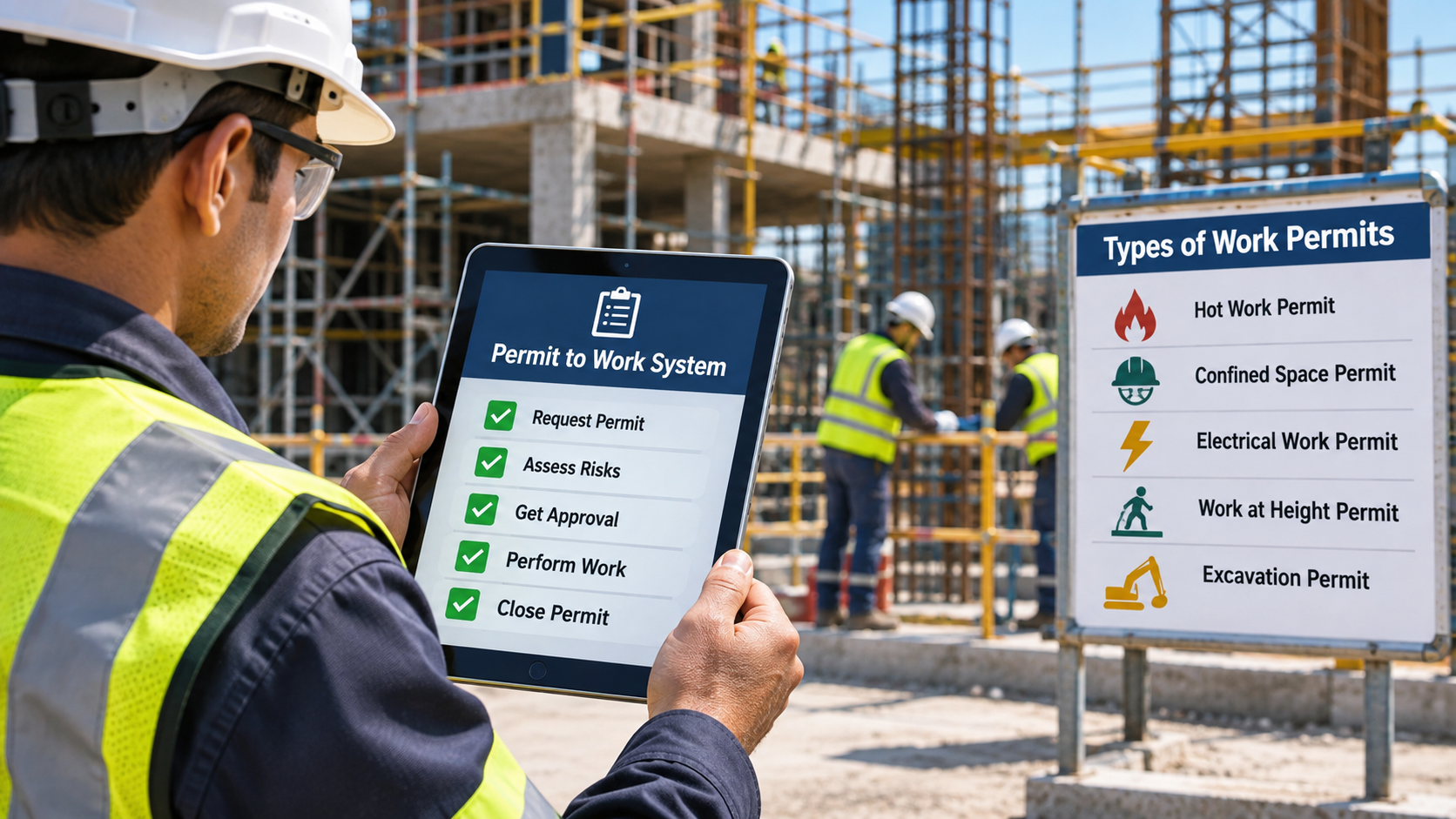
Construction and industrial sites involve hazardous activities such as welding, electrical maintenance, excavation, confined-space entry and work at height. A Permit to Work System supports Permit to Work Safety by providing a formal process to assess these tasks, communicate precautions and authorise work before it begins.
A permit is more than a form or signature. It connects risk assessment, preparation, supervision and handover, helping teams determine when work can safely start, continue or stop.
What Is a Permit to Work System?
A Permit to Work System is a documented method for controlling specified high-risk or non-routine work. It records the task, location, people, hazards, precautions, authorisations and validity period, while clarifying who approves and monitors the job.
It gives managers, contractors and workers a shared understanding of the job. It supports, but does not replace, risk assessment or safe work methods. The UK Health and Safety Executive notes that issuing a permit does not itself make a job safe; communication, competence and controls remain essential.
Why Is a Permit to Work Process Important?
A consistent Permit to Work Process helps control tasks that could affect people, equipment or operations.
It prompts teams to identify hazards before work. Electrical maintenance, for example, may require isolation and verification that power cannot be restored unexpectedly.
It also coordinates teams sharing an area, such as hot work near other operations.
It establishes accountability by identifying who requests, reviews, authorises, performs and closes the work.
Essential Steps in a Permit to Work Procedure
An effective Permit to Work Procedure reflects site hazards and operational rules. A typical workflow includes:
1. Request the permit
Describe the task, location, equipment, dates and personnel. Attach relevant risk assessments or method statements.
2. Assess hazards and define controls
A competent person identifies hazards and defines controls such as isolation, gas testing, ventilation, barriers, PPE or rescue arrangements. Assign someone to verify each control.
3. Review and authorise
The authorised person checks preparations, controls and communication. Work must not begin before approval.
4. Brief the work team
Brief workers on hazards, controls, emergency actions and stop-work expectations. Confirm understanding.
5. Monitor the work
Supervisors monitor the approved scope. Stop and reassess if conditions change or controls fail.
6. Suspend, hand over or close
During pauses, leave the area safe and communicate outstanding hazards at handover. On completion, inspect the area, account for people and tools, confirm reinstatement and close the permit.
Types of Work Permits
The Types of Work Permits depend on the task and site risks. Common categories include:
- Hot Work Permit: For welding, cutting, grinding or other activities that create heat, sparks or ignition sources. Controls may include combustible-material removal, fire protection and a fire watch.
- Confined Space Entry Permit: For entry into spaces with potential atmospheric or access hazards. Controls include testing, isolation, communication and rescue planning.
- Electrical Work Permit: For electrical tasks requiring isolation, lockout or verification.
- Work at Height Permit: For elevated tasks requiring fall-prevention measures.
- Excavation Permit: For digging that may affect underground services or ground stability.
- Cold Work Permit: For non-ignition tasks that still need formal controls.
Permit categories vary by jurisdiction. Follow applicable regulations and site procedures.
Key Permit to Work Requirements
Clear Permit to Work Requirements make authorisation meaningful. A permit should identify:
- The work description, location, equipment and validity period.
- The requestor, performing team and authorised approver.
- Task-specific hazards and linked risk assessments.
- Required isolations, tests, PPE and other precautions.
- Emergency arrangements and communication methods.
- Related permits or simultaneous operations that may affect the task.
- Signatures, status changes, handover details and closure confirmation.
Only trained, authorised people should perform assigned roles. Review permits when tasks, personnel, equipment or conditions change. Local rules determine exact requirements.
Improving Work Permit Management with Digital Tools
Paper forms can make approvals and follow-ups difficult across projects. Digital Work Permit Management centralises requests, approvals, signatures and permit status.
A Workplace Permit System gives authorised users access to current information and supports Safety Permit Management by connecting records with projects and responsible people. Digital tools still need procedures, training and access controls.
How InstaResolv Supports Permit Workflows
InstaResolv includes a configurable permit workflow in its safety and site intelligence platform. A requestor submits a permit for authorisation, and an authoriser reviews and signs electronically. Subcontractor scenarios can include a second approval by the main authoriser.
Statuses include Draft, Pending Signature, Open, Suspended, Cancelled, Closed and Expired. Admins configure permit forms in the web CMS, while role-based access controls project visibility. Field teams can save drafts offline and sync later. Records can be shared or exported as PDF reports.
These tools organise permit records but do not replace risk assessment, site checks or professional judgement. Explore InstaResolv's connected observations, inspections, incident and briefing workflows.
Practical Example: Hot Work
Before welding a support frame on site, a supervisor checks combustible materials, activities and routes. The team confirms isolation, fire controls, PPE and emergency arrangements. The authoriser reviews precautions, approves the permit and briefs affected workers. If conditions change, work stops until hazards and controls are reassessed. After welding, inspect and close the permit.
Conclusion
A Permit to Work System structures how organisations plan, authorise, communicate and monitor higher-risk activities. Effective Safety Permit Management ensures hazards are assessed, responsibilities are clearly defined and safety checks are completed throughout the work process, rather than treating permits as paperwork alone.
Consistent procedures and reliable records improve coordination and workplace safety. Digital workflows such as InstaResolv support Safety Permit Management by helping teams manage permit requests, approvals, signatures and permit status across multiple projects.
FAQ
1. What is a Permit to Work System, and why is it important?
A Permit to Work System is a formal safety process used to authorise and control high-risk activities. It helps identify hazards, establish safety precautions, assign responsibilities and ensure work is approved before it begins.
2. What are the different types of work permits used in construction?
Common types include hot work permits, confined space entry permits, electrical work permits, work at height permits, excavation permits and cold work permits. Each addresses specific workplace hazards and safety requirements.
3. What are the essential steps in the Permit to Work Process?
The Permit to Work Process typically involves submitting a work request, identifying hazards, assessing risks, defining safety precautions, obtaining approval, briefing workers, monitoring activities and closing the permit after completion.
4. Who is responsible for approving and managing work permits?
Authorised personnel, such as safety officers, permit issuers or designated supervisors, are responsible for reviewing and approving permits according to organisational procedures. Supervisors and workers must also follow the approved precautions and report changing conditions.
5. How does digital Work Permit Management improve workplace safety?
Digital Work Permit Management helps organisations streamline permit requests, manage approvals, collect electronic signatures and monitor permit statuses. It improves record accessibility, strengthens coordination and gives safety teams better visibility across construction projects.
Frequently Asked Questions
InstaResolv helps teams organize projects, manage tasks, collaborate effectively, and monitor project progress through a centralized platform. It improves visibility into project activities and helps teams work toward meeting deadlines and achieving their goals.
Yes. InstaResolv supports project progress monitoring through dashboards and reports, helping project managers track task completion, monitor milestones, and gain insights into project performance for better decision-making.
Common construction site hazards include falls from heights, electrical hazards, moving machinery, falling objects, excavation risks and slips or trips. Regular inspections and hazard assessments help identify these risks before they cause injuries.
Construction companies can improve safety through regular risk assessments, site inspections, proper PPE, worker training and incident reporting. Clear safety procedures and timely corrective actions also help maintain safer working conditions.
Inspections should follow the level of risk, work activities and applicable safety requirements. Equipment and work areas should be checked before use, with additional inspections whenever site conditions or activities change.